PLOMSE publishes the peer-reviewed proceedings of international conferences. Each conference works like a journal on the platform: it has its own home page, call for papers, editors and submission form. Papers accepted for the conference are published open access in a proceedings issue (volume) with a DOI.
Find the conference
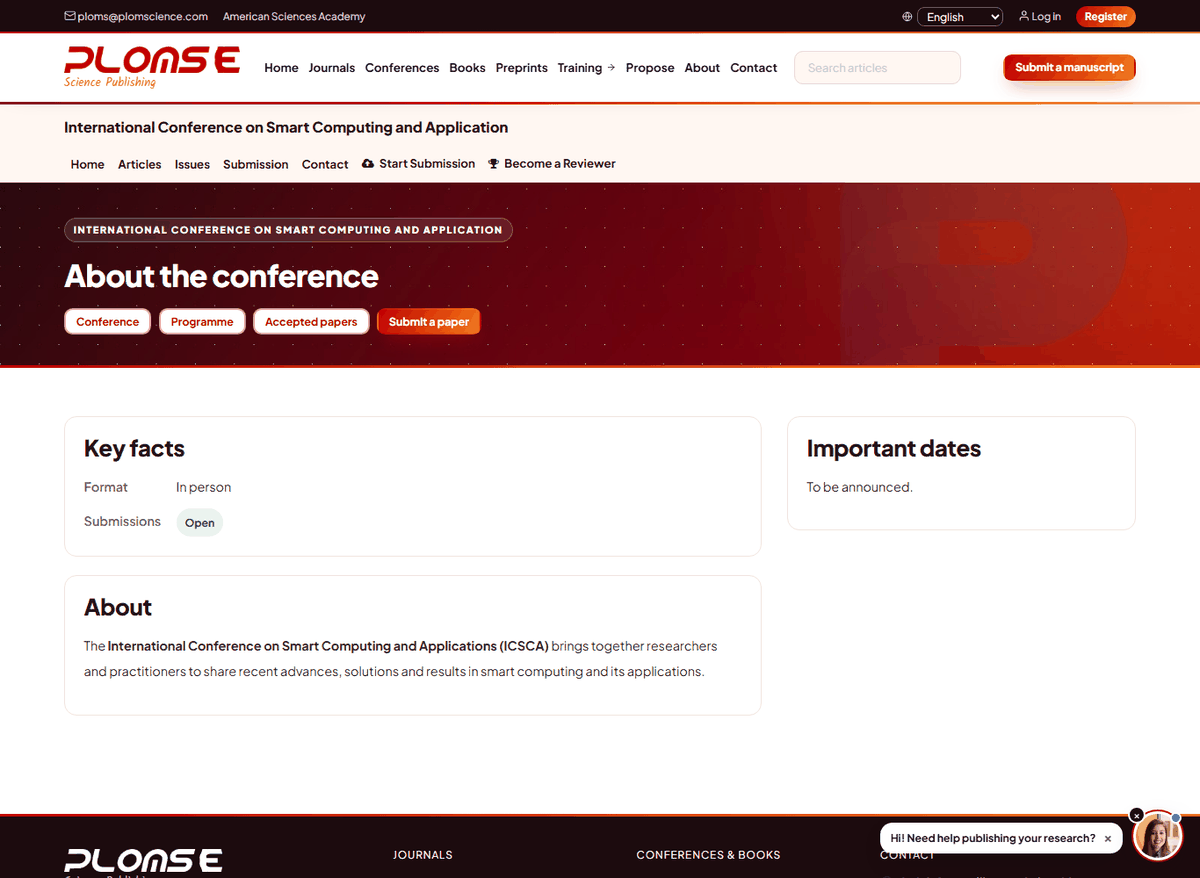
Open Conferences in the main menu. Each card leads to the conference home page. A conference page shows:
- About the conference and Key facts – dates, format (in person, online or hybrid), venue and contact;
- whether submissions are Open or Closed;
- Important dates – abstract deadline, full-paper deadline, notification of acceptance, camera-ready deadline, registration deadline and the conference dates;
- the Organisers, the Programme (when published) and the list of Accepted papers.
Deadlines are enforced
When the full-paper deadline has passed, the conference may close submissions automatically the next day. Times are given in the conference's time zone.
Prepare the paper
Read the call for papers and the author guidelines on the conference's Submissions page, and use the conference template (download link on that page). Respect the page limit and the anonymity rules of the conference (remove author names if the review is double-anonymous).
Submit
Click Submit a paper (or Submit a manuscript in the header while you are on the conference site) and follow the same steps as for a journal: agreement, article information (choose the right Section, which for conferences usually corresponds to the track or paper type), authors, files and the final check. The steps are explained in detail in How to submit a manuscript.
Your submission appears on your dashboard, and you can follow its status there.
Review and notification
Conference papers are peer reviewed by the programme committee or invited reviewers. You are notified of the decision by email on or around the Notification of acceptance date. If changes are required, respond to the revision request as described in Respond to a revision request.
Camera-ready version
After acceptance, prepare the final (camera-ready) version that includes the reviewers' requested changes, the full author names and affiliations, and follows the template exactly. Upload it before the Camera-ready deadline – usually as a revised file in the revision or copyediting task you receive by email. Then check the proofs when asked (see Copyediting review and proofs).
Programme and presentation
When the programme is published, the Programme page lists the sessions with time, room and chair, and the papers presented in each session. You can add all sessions to your calendar with Add all sessions to your calendar (.ics). Registration for the event itself follows the organisers' instructions.
Publication in the proceedings
Accepted papers are published in the conference proceedings volume. Each paper has its own article page, PDF and DOI, and the volume appears in the conference's issue archive. The Accepted papers page lists the papers accepted for the conference.